
An unfamiliar website can look polished and still be a scam, a copycat or simply unreliable. The good news is that you do not need technical skills to check it. A few minutes and some free tools are usually enough to decide whether a site deserves your money or your personal details.
This guide from Webinkey.com walks through ten checks, in the order that catches the most problems first. Use them before you buy something, create an account or download a file from a site you have not used before.
Key Takeaways
- HTTPS means the connection is encrypted, not that a site is honest.
- Check the exact address, the domain age and a Safe Browsing scan first.
- Real stores list contact details, specific policies and realistic prices.
- Pay by credit card and never by gift card, wire transfer or crypto.
1. Read the Exact Web Address
Look at the full address in your browser bar, not just the page design. Scammers often register lookalike domains with an extra word, a swapped letter or a different ending, such as .shop instead of .com. If you arrived from an advert, email or text message, type the address of the real company yourself instead of trusting the link.
2. Do Not Treat the Padlock as Proof
The padlock and https:// mean the connection between your browser and the site is encrypted. That matters for passwords and payments, but it does not tell you who runs the site or whether it is honest. Free certificates are easy to get, so most scam sites use HTTPS too. Treat a missing padlock as a reason to leave, and a present padlock as a minimum, not a verdict.
3. Check How Old the Domain Is
A registration lookup shows when a domain was created. You can use the free ICANN lookup at lookup.icann.org. A store that claims decades of experience on a domain registered a few weeks ago deserves extra caution. A young domain is not automatically bad, since new businesses start every day, but it should make the other checks count for more.
4. Run a Reputation Scan
Paste the address into Google’s Safe Browsing site status tool. It reports whether Google currently flags the site as dangerous. If it shows a warning, close the page. A clean result means no known problem has been recorded yet, not that the site is guaranteed safe.
5. Look for Real Contact Details
A legitimate business normally lists a way to reach it beyond a web form: a business name, a physical address, a phone number or a support email that uses the same domain. Search the address on a map and see whether it is a real location. Contact pages with only a form and no identifying details are a common pattern on short-lived scam stores.
6. Search for Independent Reviews
Search the site name together with words such as reviews, scam or complaints. Read reviews on platforms the seller does not control, and be wary of a page full of perfect five-star testimonials with no dates or names. In the U.S., the Better Business Bureau at bbb.org also collects business profiles and complaints.
7. Compare the Prices
Prices far below every other retailer are one of the most reliable warning signs. Fake stores often advertise popular products at huge discounts to rush people into paying. If a deal looks too good to be true, check the same product on two or three well-known stores first.
8. Check How You Are Asked to Pay
The Federal Trade Commission warns that requests to pay by gift card, wire transfer, payment app or cryptocurrency are signs of a scam, because that money is hard to get back. A credit card gives you the strongest dispute rights. Our safe online shopping checklist explains why in more detail.
9. Read the Policies
Real stores publish a returns policy, shipping information, terms of service and a privacy policy. Skim them: are they specific to this business, or generic text copied from elsewhere? Our guide on how to read a privacy policy shows what a meaningful policy contains.
10. Watch How the Site Behaves
Aggressive pop-ups, countdown timers that reset, redirects to other domains, requests to allow notifications, or several confusing download buttons are all reasons to step back. So is a site that asks for more personal information than the task needs.
Quick Checklist
- The address is spelled exactly right and was typed by you.
- HTTPS is present, but you are not relying on it alone.
- The domain age matches the story the site tells.
- Safe Browsing shows no warning.
- There are real contact details and independent reviews.
- Prices are realistic and you can pay by credit card.
- Returns, terms and privacy policies are specific and readable.
What to Do If You Already Paid
Contact your card issuer or bank straight away and ask about disputing the charge. Change any password you entered on the site, and report the site at ReportFraud.ftc.gov. If you shared personal details such as your Social Security number, IdentityTheft.gov offers a step-by-step recovery plan.
For more practical checks like these, start with the main Webinkey.com guide, or browse the Web Guides section.
Common Types of Untrustworthy Websites
Knowing the usual patterns makes the checks above faster, because you know what you are looking for.
Fake Online Stores
These sites copy the look of real shops, advertise heavily on social media and offer big discounts on popular items. Orders either never arrive or arrive as cheap imitations. They often disappear after a few weeks and reappear under a new domain.
Lookalike Login Pages
Copies of bank, email or delivery company sign-in pages exist only to collect passwords. They are usually reached through a link in an email or text message rather than through search.
Tech Support Pop-Ups
Some pages show alarming warnings that your computer is infected and urge you to call a number. Real security warnings from Microsoft, Apple or Google do not ask you to phone a stranger or pay to remove a virus. Close the tab; if the browser seems stuck, restart it.
Using the Checks Together
No single check is decisive. A legitimate small business might have a young domain, and a scam site might have a clean reputation scan because it is too new to be reported. What matters is the overall picture. If two or three checks raise doubts, the sensible choice is to buy elsewhere or contact the company through an address you found independently. Spending five minutes on these steps costs far less than trying to recover money or a stolen account later.
At a Glance
| Check | What to look for | Red flag |
|---|---|---|
| Address | Exact spelling you typed yourself | Extra words or a different ending |
| Domain age | Matches the history the site claims | Registered a few weeks ago |
| Contact details | Business name, address, phone | Only a web form |
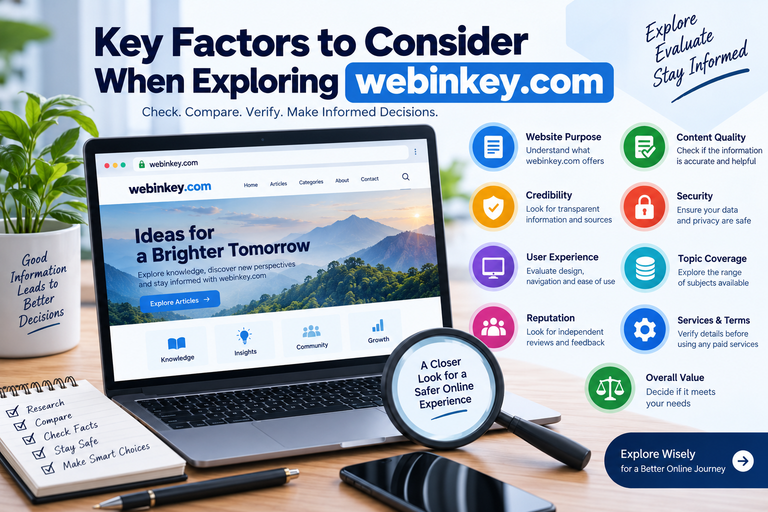
Keep reading on Webinkey.com: Online Safety, spotting phishing emails and fake login pages and the key factors to consider when exploring a website.
Frequently Asked Questions
Does HTTPS Mean a Website Is Legit?
No. HTTPS means the connection is encrypted. It does not prove who owns the site or that the business is honest, and many scam sites use HTTPS. Use it as a minimum requirement, then run the other checks in this guide before you share payment or personal details.
Is a New Domain Always a Scam?
No. New businesses register new domains all the time. A very young domain is a reason to weigh the other checks more carefully, especially if the site claims a long history. Look at the address, contact details, reviews and prices together, and give extra weight to any doubts they raise.
What Is the Fastest Single Check?
Paste the address into Google Safe Browsing site status and read the exact spelling of the domain. Together they catch many known bad sites and lookalike addresses. Neither check proves a site is safe on its own, so follow them with the contact, review and payment checks.
Where Do I Report a Fake Website in the U.S.?
Report it to the Federal Trade Commission at ReportFraud.ftc.gov. You can also report phishing pages to Google through its Safe Browsing report form. Reporting helps the FTC spot patterns, warn other shoppers and, in some cases, take action against the people behind the site.